Your pit wall, on a tablet.
CB Pitboard turns the tablet next to your wheel into a race engineer's screen. Delta and sectors, a multiclass leaderboard, fuel to the flag, tyres and brakes. And before you box, it tells you where you will rejoin.
Needs a Windows PC running SimHub, with the tablet on the same Wi-Fi.
P10 of 12 in class if you box at the end of lap 21
At pit exit, 15 s either side
Three panels, one glance
Swipe between the race and the full leaderboard. The pit panel opens by itself when you enter the pit lane, and closes when you leave it.
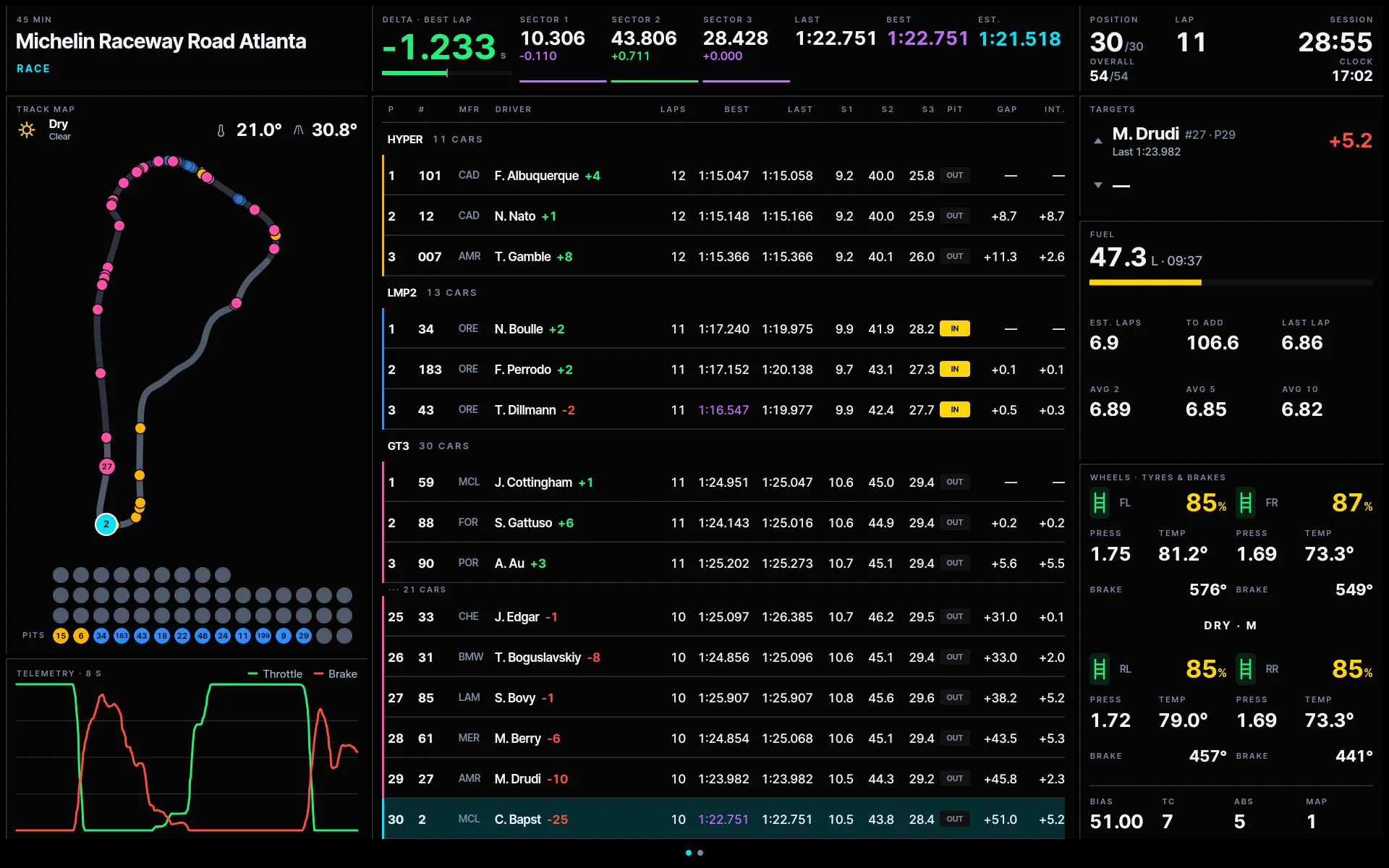
Delta to your best lap, sector times, the cars around you in your class, a live track map, fuel to the flag, tyres and brakes.
Free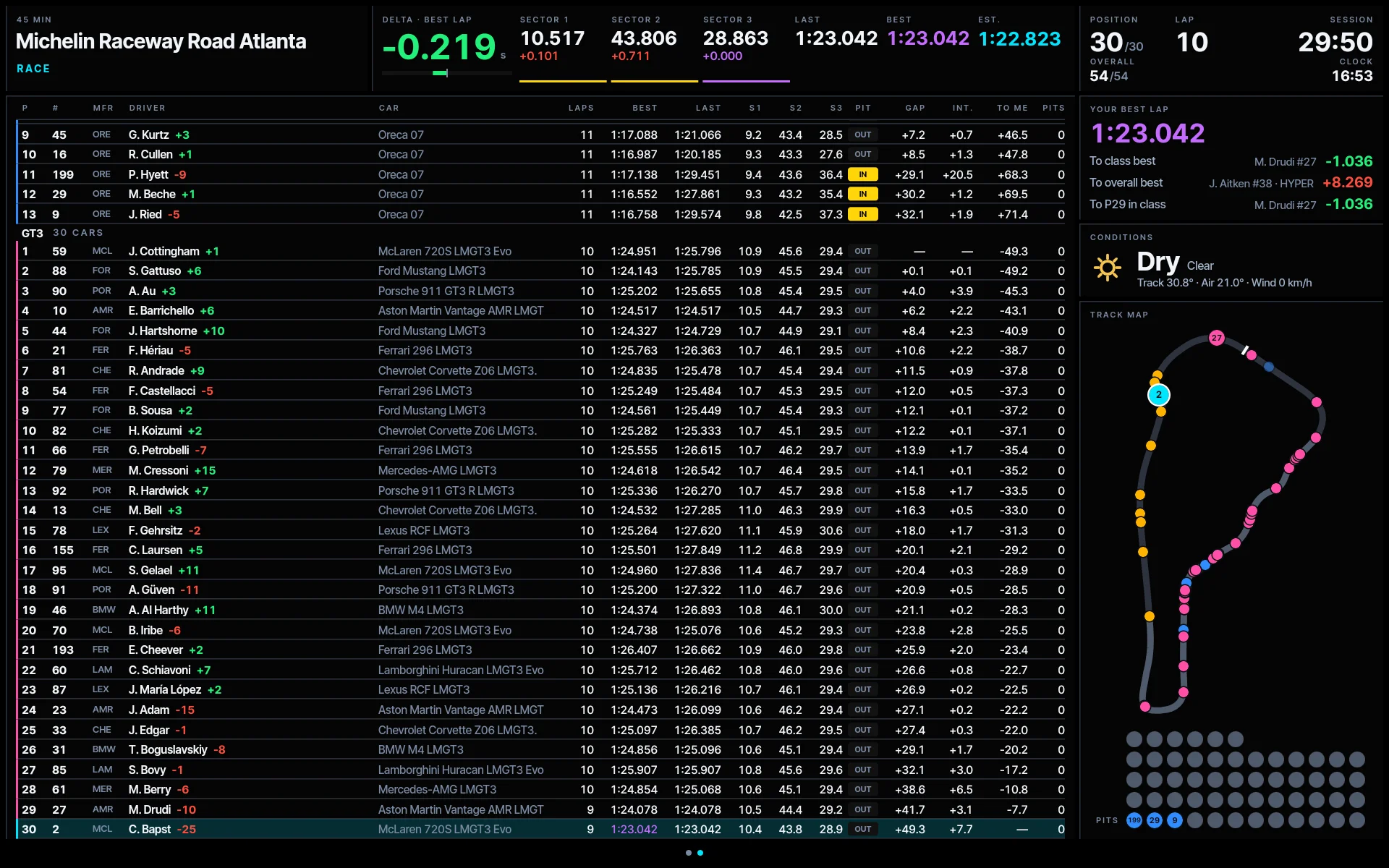
The whole field, every class, with gaps, last and best laps and pit stops. Beside it: your best lap against the class best, the overall best and the car just ahead, the conditions and the track map.
Pro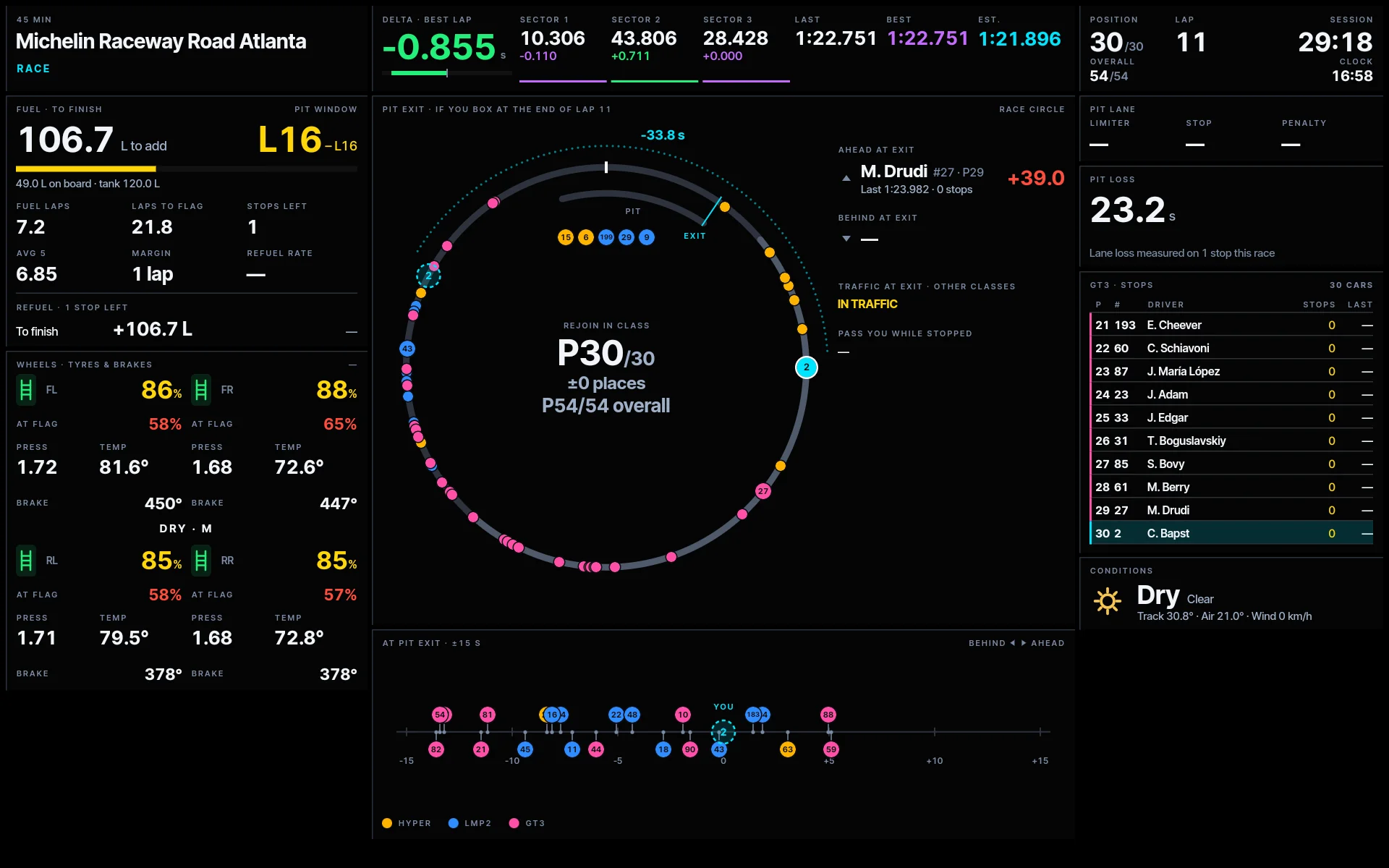
Box this lap and rejoin where? Pit loss, the cars ahead and behind at the exit, traffic from other classes and who passes you while you're stopped. It opens by itself when you enter the pit lane.
ProOn track in three steps
Install the plugin
Run the Windows installer from this site. It finds SimHub and installs CB Pitboard Bridge, which reads the game through SimHub and sends the data to the tablet.
Install the app
Android 10 or later, or iPadOS 16 or later. Landscape, made for 10-inch tablets and up. On Android, Pro can also run it as the tablet's home screen.
Join the same Wi-Fi
The app finds the plugin on its own. If your network blocks that, type the PC's address in Settings. UDP ports 20777 and 20778.
Supported sims
- iRacingSupported
- Le Mans UltimateSupported
- Automobilista 2Supported
- Assetto Corsa CompetizioneComing soon
- RaceRoomComing soon
What you need
- PC
- Windows with SimHub. A SimHub licence is recommended: without one, SimHub feeds plugins about 10 times a second instead of about 50, so live telemetry looks jerky. Standings are not affected.
- Tablet
- Android 10+ or iPadOS 16+, in landscape. Reference device: a 10-inch entry-level Android tablet. On Android, the app can replace the home screen, so a dedicated tablet boots straight into CB Pitboard (Pro).
- Network
- PC and tablet on the same local network.
Free to start
The plugin is free. The app is free with the race panel. Pro unlocks the rest, by the month or once for life.
Free
0 CHF
- Race panel, multiclass leaderboard
- Delta, sectors, track map, throttle and brake trace
- Fuel, tyres and brakes
- Practice, qualifying and race, no time limit
- Night theme
Available at launch
Pro
0.90 CHF a monthor 9 CHF once, for life
- Everything in Free
- Leaderboard panel: the whole field, your best lap against the class and overall best, conditions and track map
- Pit panel: pit loss, rejoin position, cars ahead and behind at the exit, traffic from other classes, fuel and tyres for the stop
- Fuel to add; strength of field on iRacing online
- Four more themes
- Android: launcher mode, the app as the tablet's home screen
In-app purchase, no account needed
Team
Price to be set
- Everything in Pro
- Team panels for endurance crews sharing a car
- Needs an account
To be evaluated for later
CB Pitboard Bridge
The free SimHub plugin that feeds the app.
- Version
- 1.0.0-beta.6
- File
- Windows installer (.exe)
- Checksum
- SHA-256 published with each release
- Updates
- When SimHub starts, the plugin checks cb-pitboard.ch and offers to update itself.
- Download and run the installer. It finds your SimHub folder and closes SimHub if it is open.
- Start SimHub and enable CB Pitboard Bridge when asked.
- Open the app on the tablet. It finds the PC by itself.
- Later versions: when SimHub starts, the plugin tells you a new version is out and installs it for you.
Found a bug? Missing something?
Tell us which game, which tablet and what happened. Build numbers help: you find them in the app under Settings, About. For anything else, choose General contact: the game, tablet and build fields are then left out.